TL;DR: Design the room as one system
- A successful home theater design coordinates the room, screen, sightlines, speakers, subwoofers, acoustics, seating, lighting, ventilation, wiring, control and service access before construction fixes their locations.
- There is no universal room ratio, screen-distance formula, riser height or speaker count that fits every project. Start with the people, content and performance goals, then calculate the actual room.
- A dedicated private cinema offers the most control. A mixed-use media room can still perform exceptionally well when daylight, circulation, furnishings and noise are treated as design inputs.
- Acoustic treatment improves sound inside the room. Sound isolation reduces transmission to and from adjacent spaces. One does not substitute for the other.
- For Phoenix-area remodels and custom homes, coordinate HVAC, shading, equipment heat, dust control and cable pathways early. The best time to solve a conflict is before framing and drywall.
A home theater is not a collection of premium products. It is a room in which architecture and technology agree.
The screen must fit the viewing geometry. The seating must preserve sightlines. Speaker positions must work with the screen, doors, ceiling and rows of seats. Acoustic materials need space. A projector and equipment rack create heat. Lighting should guide people safely without washing out the image. Every device eventually needs maintenance.
That is why the best home theater layout begins before anyone chooses a projector, receiver or row of chairs. This guide explains the full design sequence for dedicated cinemas, bonus rooms and mixed-use media spaces in Phoenix, Scottsdale and surrounding Arizona communities. It focuses on decisions and coordination rather than universal product recipes or unsupported price ranges.
Start with the experience: dedicated theater or media room?
The first design question is not “TV or projector?” It is “What must this room do, for whom, and under what conditions?”
A dedicated private cinema usually prioritizes movies and episodic content in a controlled environment. A media room may also support daytime sports, gaming, music, conversation and everyday family use. Neither label establishes performance. CEDIA/CTA-RP22 treats dedicated and multipurpose entertainment spaces within one engineering framework and emphasizes measurable performance rather than vague “good, better, best” packages.
| Design question | Dedicated private cinema | Mixed-use media room |
|---|---|---|
| Primary activities | Film, television and focused viewing are usually the priority. | Sports, gaming, music, conversation and daytime use may share equal importance. |
| Light control | The shell can be designed around a dark viewing environment. | Windows, adjacent rooms and daytime use make shading and display brightness central decisions. |
| Seating | Fixed rows, recliners and a riser may be appropriate after sightline analysis. | Flexible sofas, casual chairs and circulation may matter more than a fixed row count. |
| Speaker concealment | A fabric system or acoustically transparent screen may hide a complete front stage. | Architectural speakers, cabinetry and décor must share walls and ceilings. |
| Acoustics | Room finishes can be coordinated around measured acoustic targets. | Hard surfaces, openings and furnishings require thoughtful compromise and measurement. |
| Control | A single start sequence can coordinate sources, masking, lighting and climate. | The interface should move easily between day, sports, gaming, music and movie scenes. |
Write a short use brief before drawing the room. Include:
- the content watched most often and whether gaming latency matters;
- the normal audience and the largest audience worth designing for;
- daytime and nighttime use;
- accessibility, circulation and preferred seat types;
- noise-sensitive bedrooms, offices or neighbors;
- how visible the technology may be;
- future sources or formats that should be accommodated; and
- who will operate and maintain the room.
Homeowners who are still choosing between room types can review Camelback Smart Homes’ home theater and private-cinema services and project gallery. The goal is not to force every bonus room into a commercial-cinema template. It is to translate the household’s priorities into a coherent performance target.
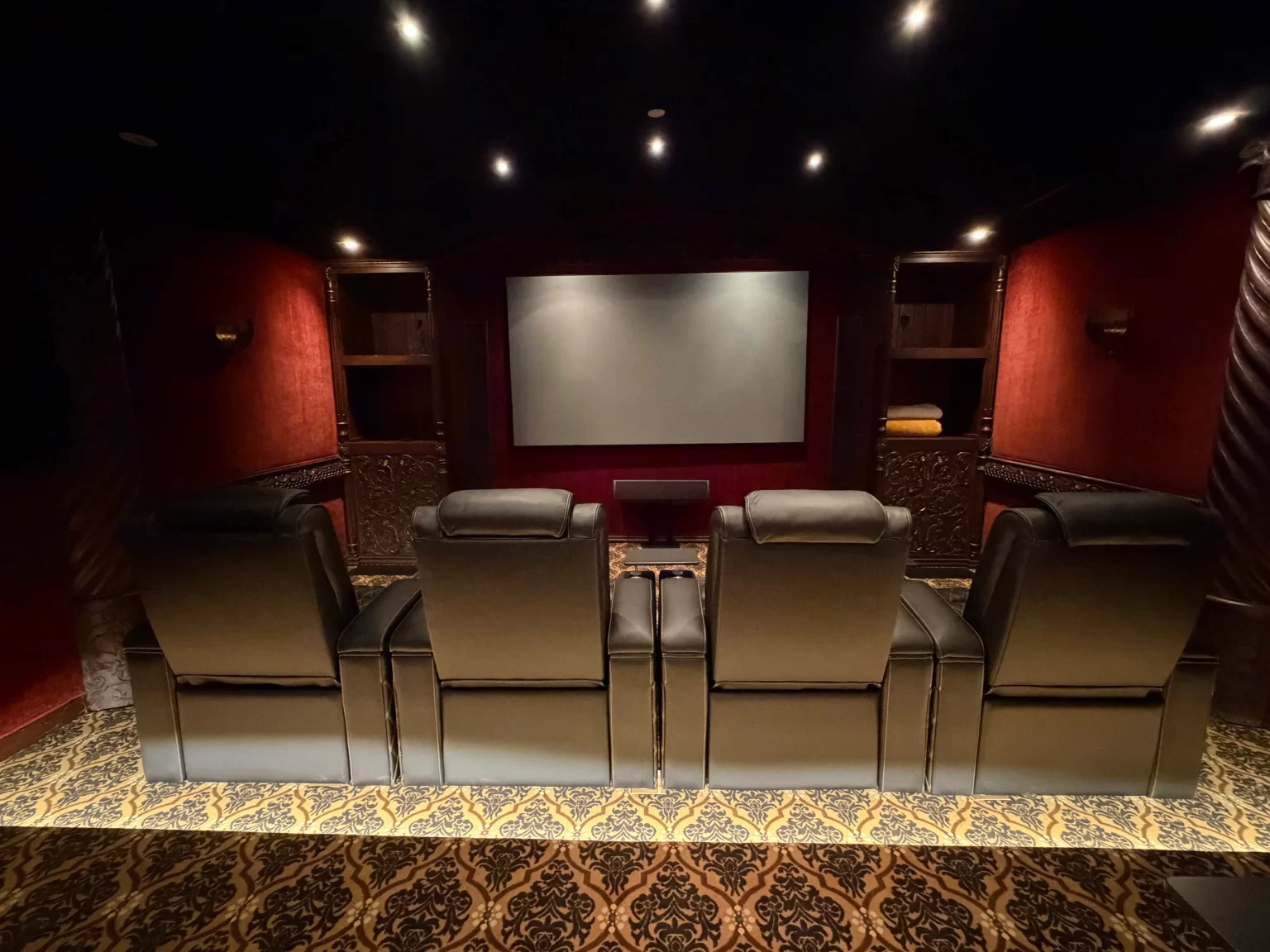
The home theater project sequence
The decisions are iterative, but the order still matters. Choosing equipment before geometry and infrastructure usually creates rework. A practical sequence looks like this:
The timeline shows dependencies, not guaranteed durations. Construction scope, permits, product availability and trade coordination affect the schedule. A remodel in a finished Scottsdale home follows a different path from a theater designed into an unframed Phoenix custom build.
Measure the finished room, not the optimistic room
Record usable width, length and height after accounting for wall assemblies, acoustic treatments, soffits, beams, columns, baseboards and sloped ceilings. Mark door swings, windows, sprinkler heads, detectors, access panels, return grilles, supply registers and floor transitions. Photograph the conditions before they disappear behind finishes.
Do not force the room into a “golden ratio.” Room dimensions influence low-frequency behavior, but there is no magic proportion that eliminates the need for speaker, subwoofer, treatment and calibration design. A few inches of wall treatment or a new isolated shell can also change the finished geometry that product calculators depend on.
Home theater layout: screen, primary seat and sightlines
The screen and primary seating position are one decision. Place either in isolation and the other becomes a compromise.
Start with the screen wall and the room’s viewing axis. Consider centered seating, doors and walkways, window light, speaker locations, projector throw, ceiling obstructions and the path to the equipment. The longest wall is not automatically the best choice. A shorter axis may produce better circulation or a more balanced audio layout.
Choose the primary seat before filling the room with chairs
The primary row anchors image and audio geometry. AVIXA V202.01:2026 provides a formal method for required image size and viewer positions when detail-recognition needs are defined. For a private cinema, combine objective visibility and sightline checks with the household’s preferred field of view and representative content rather than relying on a universal multiplier based only on screen diagonal.
Ask how the image feels with representative content. A movie viewer, a competitive gamer and a family watching subtitled programming may prefer different geometry. Test preference before framing a projector opening or ordering a fixed screen.
Check every designated seat in plan and elevation
A floor plan reveals horizontal offsets and aisles. An elevation shows whether one viewer’s head, a reclined seat, a riser, a low ceiling or a light fixture blocks another person’s view. The rear row must also remain compatible with overhead speakers, HVAC and ceiling treatments.
There is no universal riser height. Calculate the actual screen position, row spacing, seated eye and head heights, recline geometry, desired clearance and finished ceiling. Structural design, steps, guards, egress, accessibility and local requirements belong with qualified design and construction professionals.
For a preliminary exercise, use Camelback’s interactive Home Theater Room Planner. It helps organize finished room dimensions, seats, display choice and audio goals. Its output is a coordination concept, not a substitute for field verification, structural design, product-specific geometry or code review.
Choose the screen and projection approach from the room
A direct-view television and a projector solve different problems. Screen size is only one factor. Consider ambient light, image black level and contrast, content format, viewing angles, equipment noise, projector throw, service access and the visual role of the screen when it is off.
| Decision factor | Large direct-view display | Projector and screen |
|---|---|---|
| Ambient light | Often more forgiving for daytime sports and mixed-use rooms, although reflections still matter. | Benefits from strong light control. Screen material can help with specific conditions but cannot make unrestricted sunlight irrelevant. |
| Image scale | Offers substantial sizes without a projection path, subject to delivery, wall structure and service clearance. | Can create a larger cinematic image when throw distance, brightness and room geometry support it. |
| Room coordination | Requires mounting, power, signal, ventilation and a route for replacement. | Adds projector mount or enclosure, lens geometry, beam clearance, power, signal, heat, fan noise and maintenance access. |
| Front speakers | Speakers usually fit around, below or beside the display. | An acoustically transparent screen may allow the front stage at the image plane when the selected material, speaker spacing and calibration support it. |
| Aspect ratios | The physical panel format is fixed; source processing handles other content shapes. | Screen format, masking and lens or processing choices can be designed around the household’s content mix. |
| Maintenance | Plan safe removal and replacement of a large, heavy panel without damaging millwork. | Preserve access for filter or optical maintenance where applicable, alignment, cable replacement and future projector service. |
Validate the exact projector, lens and screen combination
Projector location is model-specific. Throw range, zoom, lens shift or offset, image aspect ratio, mount position and ventilation requirements all matter. Manufacturer calculators and tables are useful planning aids; the selected model’s current installation manual governs the final geometry. Epson’s throw-distance guidance explains why image size, throw distance and model-specific placement features must be evaluated together.
Do not frame a projector opening from a generic throw ratio, then assume any future projector will fit. Leave a serviceable pathway and enough flexibility for reasonable equipment changes. A ceiling-mounted projector should not compete with a doorway, sprinkler, light beam, return grille or the overhead audio layer.
Specify screen material for the installed environment
Screen gain, texture, viewing cone, color, acoustic transparency and ambient-light behavior involve tradeoffs. Higher gain is not automatically better. An acoustically transparent material can place dialogue at the image plane, but the weave or perforation, minimum viewing distance, projector throw, speaker-to-screen spacing and equalization requirements are product-specific.
Use installed-room criteria, not only catalog brightness and contrast numbers. AVIXA’s image-system contrast standard evaluates the complete system under its intended conditions. In an Arizona great room, shade design and solar exposure may matter as much as the projector. In a controlled cinema, dark surfaces near the screen can protect perceived contrast.
For a decision-level comparison, see the projector-versus-large-screen-TV FAQ. Camelback’s specialized guide to screen size and placement and its 4K versus 8K article cover narrower display decisions. The pillar remains focused on how those choices fit the whole room.
Design the audio system around the listening area
A channel label such as 5.1.4 or 7.1.4 describes a layout. It does not prove that the speakers can deliver the intended output, coverage, tonal consistency or seat-to-seat experience.
Use the room geometry and designated seats to choose the configuration. The front left, center and right speakers should form a convincing screen-related stage. Surrounds and overheads should cover the listening area from appropriate directions. Ceiling height, risers, soffits, fixtures and seat locations all influence whether the proposed positions are feasible.
Dolby’s home-theater installation guidelines provide starting geometry for specific Atmos arrangements. They are not a substitute for measuring the installed room. Architectural speakers also need the correct orientation; a ceiling speaker placed wherever framing allows may not aim useful energy at the listening area.
Coordinate the front stage with the image
Dialogue should appear to come from the screen, not the floor or ceiling. An acoustically transparent projection screen can help align the center speaker with the image, but only when the screen material, speaker distance, baffle or wall construction and calibration are designed together. A direct-view system may require a lower center channel and a different compromise.
Preserve symmetry where the room permits, while recognizing that doors and open sides may require an engineered alternative. The objective is consistent localization and coverage across the intended seats—not visual symmetry for its own sake.
Plan bass for more than one chair
Low frequencies interact strongly with room dimensions and seating positions. One seat may have powerful bass while another has a deep cancellation. Subwoofer quantity and location, seat placement, low-frequency treatment and electronic optimization work together.
Multiple strategically positioned subwoofers can improve seat-to-seat consistency in suitable rooms; they are not simply a way to make the room louder. No placement pattern is universally best, especially in open or irregular spaces. Model candidate positions where appropriate, preserve more than one wiring option, then measure the installed result.
For a deeper treatment of channel layouts, wiring, bass management and room correction, use Camelback’s surround sound systems guide. Homeowners evaluating immersive-audio installation can also review Dolby Atmos surround sound services.
Acoustic treatment and sound isolation solve different problems
These terms are often blended in sales copy, but they describe different work.
- Acoustic treatment manages reflections, decay, clarity, tonal balance and low-frequency behavior inside the room.
- Sound isolation reduces transmission through walls, floors, ceilings, doors, glazing, penetrations, ducts and other flanking paths.
Fabric panels, rugs and curtains may change reflections inside a room. They do not convert an ordinary wall into an isolated assembly. Likewise, adding mass to a wall does not by itself create balanced decay or even bass for the seats.
Treat the room without making it lifeless
Acoustic design may combine absorption, diffusion, bass control, furnishings and carefully chosen reflective surfaces. The correct balance depends on the room, loudspeaker directivity, listening area and target. Covering every surface with thin absorptive material can dull high frequencies while leaving low-frequency problems largely intact.
Digital room correction is valuable, but it is not a demolition tool for physics. It can adjust level, delay and frequency response within limits; it cannot stop a long reflection path, move a rattling door or make all seats identical. Physical design and electronic calibration should complement each other.
Design isolation as an assembly, including the weak paths
Isolation goals should be discussed before framing. Wall and ceiling assemblies, doors, floor structure, electrical boxes, back-to-back penetrations, plumbing and HVAC paths can all affect transmission. Deep bass is particularly difficult; a single headline STC value does not fully describe it.
A qualified acoustical, architectural and construction team should develop the assembly and coordinate structure, fire safety, ventilation and code requirements. Avoid DIY layer recipes or promises of silence. Camelback’s supporting article on home theater sound-isolation planning is a useful next read, and the site’s soundproofing versus treatment FAQ provides a concise distinction.
Coordinate seating, risers and lighting
Seat count is not simply room width divided by chair width. Real seats recline, need power, occupy space behind the upright back and require practical access. Arms, cupholders and movable accessories change the footprint. People still need comfortable paths to enter, exit and reach each position.
Place the primary row for the intended viewing and listening experience. Add another row only after the room can support its sightline, ceiling clearance, audio coverage and circulation. Verify the proposed seat model at full recline. A plan drawn with generic rectangles can hide a collision between a footrest, aisle and front row.
Camelback’s home theater seating options can inform dimensions and upholstery choices, but final construction should follow the exact selected model. Do not build a riser from a showroom seat that later changes.
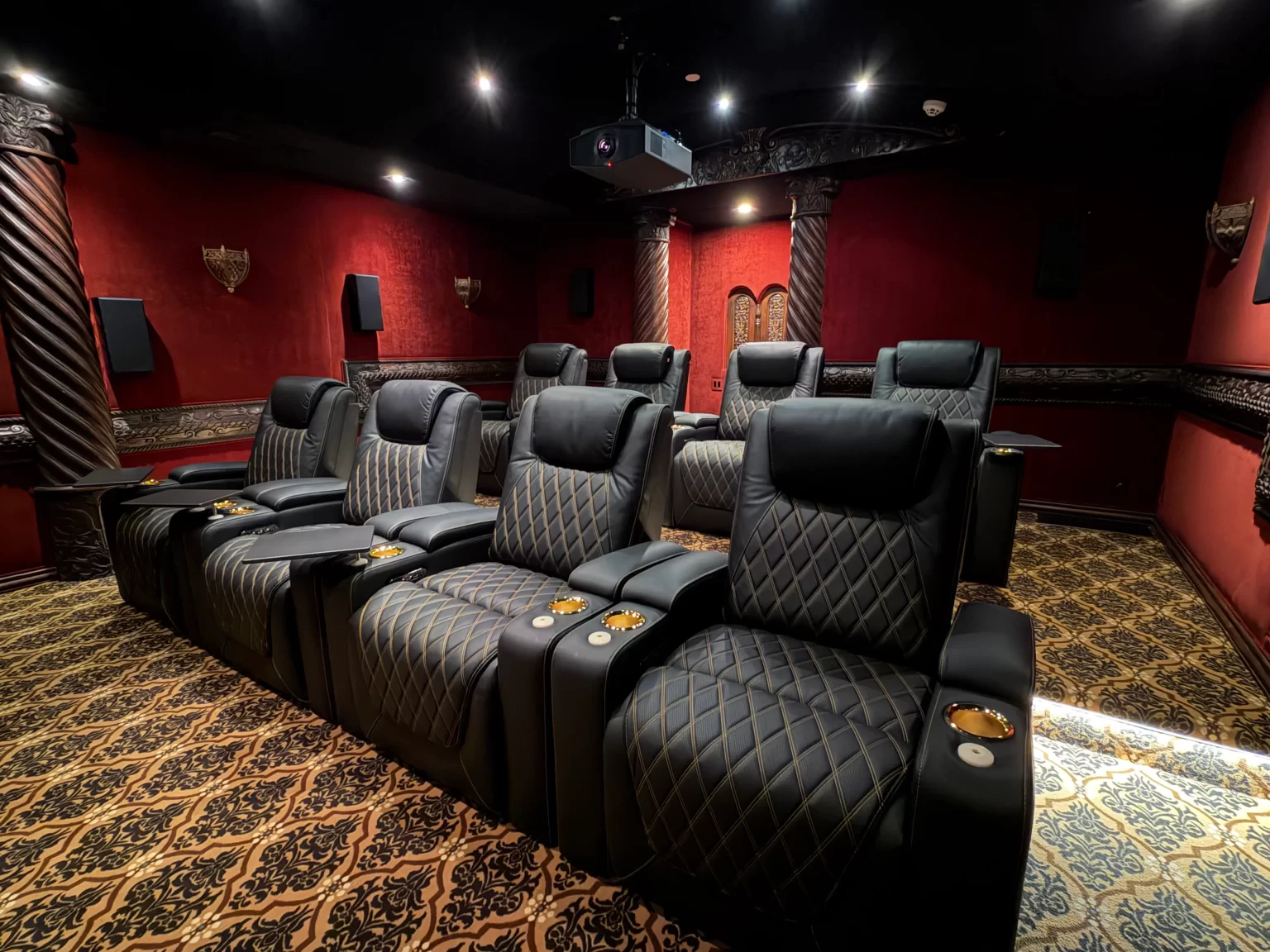
Use lighting zones that support the room’s actual states
Separate screen-adjacent lighting, wall or ceiling accents, seating-area light and low-level path or step lighting. This gives the control system useful building blocks instead of one large dimmer controlling every fixture.
Useful scenes may include Welcome, Movie, Pause, Sports or Day, Gaming, Cleanup and All Off. A Pause scene can raise path lighting without flooding the screen. A cleanup scene should reveal steps, surfaces and lost items. In a mixed-use room, automated shades and a daytime lighting state can make the space practical before sunset.
Fixtures, trim, beam spread, color quality and dimming compatibility all affect the experience. Keep downlights and decorative sources out of critical sightlines and off the screen where possible. Coordinate the control system with smart lighting and automated shade design rather than treating them as late accessories. Line-voltage work belongs with the electrical designer and licensed trades.
Equipment rack, HVAC, wiring and service access
The theater must work after the installer leaves. That requires a serviceable equipment location, documented signal paths and an environment in which components can operate within manufacturer limits.
Put the rack where heat and fan noise can be managed
An adjacent or remote rack often reduces visible clutter and mechanical noise. It still needs suitable power, network connectivity, ventilation, access to the front and rear of equipment, and a practical replacement route. A beautiful cabinet that traps heat or cannot open fully is not a finished design.
Thermal planning must address the component, enclosure and surrounding room. Fans cannot cool equipment below the air entering the enclosure. Measure operating temperature under a representative load, and keep intake and exhaust paths clear. Do not guess at fan size or assume a closet shares enough conditioned air through door cracks.
Design quiet comfort for people and equipment
A theater concentrates people, electronics and sometimes a high-output projector. The HVAC system must manage comfort, ventilation and equipment heat without adding distracting noise or drafts. CTA/CEDIA’s thermal-management guidance identifies heat load, safe equipment temperature and background noise as related design concerns.
Coordinate supply and return locations with seats, speakers, acoustic treatments and projector airflow. Test the room with HVAC and normal building services running, after the room reaches an ordinary operating temperature. A quiet system during a five-minute demonstration may behave differently during a full movie with every seat occupied.
Phoenix-area conditions make this especially important. Sustained summer heat, solar load and dust place practical demands on cooling, shading, filtration and access for maintenance. Those conditions do not justify a universal equipment-closet temperature or duct prescription; the mechanical designer should calculate the actual loads and acoustical requirements.
Prewire for the plan and preserve accessible pathways
Before drywall, document each speaker, subwoofer, projector or display, control, network and source path. Consider suitable spare conduit where future cable replacement would otherwise require finished-wall demolition. “Future-ready” should mean accessible pathways and known capacity—not a promise that today’s cable will support every future format.
Specify the entire video signal path for the required resolution, frame rate, color format, HDR, distance, switching and device chain. A cable logo does not verify the installed system end to end. Label and test every path, record the results appropriate to the application, and retain as-built drawings.
Power, low-voltage containment, grounding, surge protection and separation requirements should be coordinated by the responsible design professionals and trades. Camelback Smart Homes’ low-voltage pre-wiring services support that early infrastructure phase.
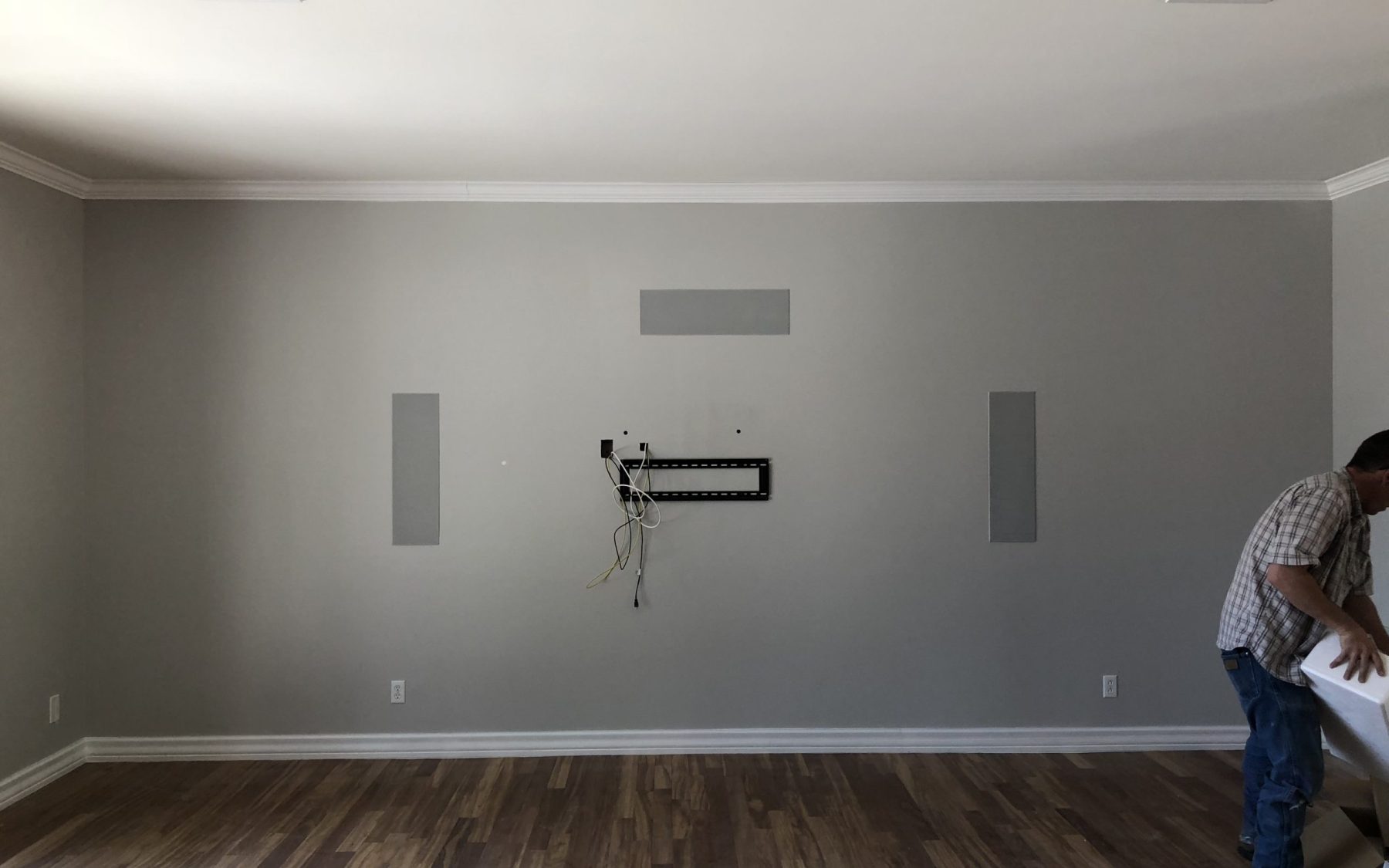
Automation should simplify the room, not hide its logic
A well-programmed room can coordinate source selection, display or projector, audio mode, screen masking where used, lighting, shades and climate. One action can start a movie; Pause can raise path lights; All Off can shut down devices in a safe sequence.
The experience still needs resilience. Provide intuitive physical controls for essential actions, clear feedback when a device is not ready, and access for service. Voice control can be convenient, but it should not be the only way to turn on the room or raise the lights.
Program around real activities rather than device names. “Watch Apple TV” may be useful, but “Movie,” “Sports,” “Gaming” and “Listen” can better describe what the household expects. Confirm the source, aspect ratio, audio processing, lighting and shade state for each activity. Test what happens when a source is asleep, the network is unavailable or someone presses Pause twice.
Commission the installed room and document the result
Installation is not complete because every device turns on. Commissioning compares the finished room with agreed design criteria and corrects what can be corrected.
A useful home theater commissioning scope may include:
- Image: focus, geometry, alignment, uniformity, aspect modes, masking where present, color and HDR behavior under the intended room conditions.
- Audio: speaker polarity, aiming, level, delay, crossover behavior, bass response, seat-to-seat consistency and room-correction settings.
- Noise: HVAC, projector, rack fans, rattles and normal building services while the room is operating.
- Signal path: every source, switching route and intended format, including gaming and streaming workflows where applicable.
- Control: every scene, local control, shade position, lighting transition, power sequence and recovery condition.
- Thermal behavior: rack and projector conditions during a representative session, not only at idle.
- Safety and usability: step and path lighting, door and aisle clearances, seat movement and access to serviceable components.
- Handover: labels, as-built drawings, settings backups, warranty records, owner training and a clear support path.
AVIXA’s performance-verification standard reinforces the principle that testing follows defined criteria and documentation. Keep the final measurements and configuration records. If a component is replaced later, they provide a baseline for restoring performance instead of starting from memory.
Arizona planning check: solve these before finishes
- How will direct sun and reflected desert light affect the display, and which shades or room treatments are part of the plan?
- Where will projector and rack heat go during a summer movie with the room occupied?
- Can filters, equipment, the projector and the back of the display be serviced without damaging millwork or acoustic finishes?
- Do dust, door locations and outdoor transitions change the equipment or maintenance approach?
- Which authority has jurisdiction over the project, and which structural, electrical, mechanical, fire-safety, egress or accessibility reviews apply?
- Has the integrator coordinated with the architect, interior designer, builder, electrician, HVAC team and acoustical consultant before rough-in?
What a complete design package should communicate
The exact deliverables depend on scope, but a serious proposal should make the design legible. Look for a documented room and use brief, plan and elevation views, the reference seating position, screen and projector geometry, speaker and subwoofer candidates, acoustic and isolation responsibilities, seating and riser coordination, lighting zones, equipment location, heat-management assumptions, cable and conduit schedules, control narratives, commissioning criteria and service access.
Ask what is included, what is excluded and which trade owns each dependency. “Home theater package” is not a performance definition. A smaller, well-coordinated system can be more satisfying than an equipment-heavy room whose screen, seats, speakers and HVAC were designed separately.
This guide intentionally does not publish generic project prices. Construction, performance target, room condition, screen and audio scope, isolation, seating, lighting, rack, programming and commissioning can change the project substantially. A room-specific design and proposal should define those variables before quoting.
Home theater design and layout FAQs
What should be designed first in a home theater?
Start with the people, content, room use and performance goals. Then coordinate the finished room, screen wall and primary seating position before selecting the projector, display, speaker count or seats. Those choices affect sightlines, audio geometry, HVAC, wiring, lighting and service access, so an equipment list should follow the room concept rather than lead it.
Does a dedicated home theater need a special room ratio?
No universal room ratio guarantees good performance. Dimensions influence low-frequency behavior, but doors, openings, finished wall depth, seats, speaker and subwoofer locations, acoustic treatment and calibration also matter. Measure the finished shell, model the actual room where appropriate and preserve flexibility for placement and treatment instead of forcing the architecture into one magic proportion.
When should a home theater integrator join a remodel or custom-home project?
Bring the integrator in during architectural and interior-design planning, before framing, HVAC routing, electrical rough-in and lighting locations are fixed. Early coordination can protect ceiling height, projector throw, speaker positions, shade pockets, cable pathways, equipment ventilation and service access. Waiting until finishes are selected can turn solvable design questions into expensive compromises.
Can a mixed-use media room perform as well as a dedicated theater?
A media room can achieve strong measured performance, but its daylight, openings, flexible furniture, hard surfaces and circulation must be included in the design. A dedicated room usually offers more control over light, noise, seating and finishes. The label does not determine quality; the performance target, constraints, engineering and commissioning do.
What makes a home theater future-ready?
Future-ready design provides accessible, documented pathways and service space. Suitable conduit, labeled cabling, a replaceable signal path, rack capacity, network access and safe removal routes matter more than guessing one future connector. Specify today’s required formats, verify the complete installed chain and preserve a practical way to replace components or cables later.
How should service access be planned in a private cinema?
Allow access to the front and rear of equipment, projector filters or optics where applicable, display mounts, control processors, cable terminations and ventilation paths. Removable fabric panels and millwork should be documented and genuinely removable. Also plan how a large display, projector or rack component will enter and leave without dismantling the room.
Does a home theater always need a separate HVAC system?
Not always. The mechanical design should account for the room’s occupants, electronics, projector or display, enclosure heat, ventilation, filtration and background-noise target. Depending on the house and scope, the solution may be dedicated or coordinated with the home’s broader system. A qualified mechanical professional should calculate it rather than relying on a universal tonnage or fan rule.
What should home theater commissioning include?
Commissioning should test the image, audio and bass across designated seats, HVAC and equipment noise, operating temperatures, sources and signal formats, control scenes, lighting, shades, network workflows and service access. The handover should include labels, as-built drawings, settings backups, owner training and agreed support information—not only a demonstration that the system powers on.
Turn the room into a coordinated private cinema
Camelback Smart Homes designs home theaters and media rooms around the architecture, the household and measurable performance goals. Early planning can align the builder, designer and technology team before expensive conflicts reach the field.
Schedule a private-cinema design consultation.
For concise answers about displays, seating, audio, acoustics and control, explore the Home Theater & Private Cinema FAQ library.
Technical sources and planning notes
Technical resources reviewed September 16, 2026. This guide explains design coordination; it is not a construction drawing, engineering specification, product compatibility statement or code determination. Verify current manufacturer instructions and the requirements of the authority having jurisdiction for the actual Arizona property.
- CEDIA/CTA-RP22: Immersive Audio Design Recommended Practice and CEDIA: smart home cinemas and media rooms.
- Dolby: home theater setup guide, Dolby Atmos home-theater installation guidelines and Dolby speaker setup guides.
- AVIXA V202.01:2026 display-image-size standard overview, AVIXA image-system contrast ratio and AV systems performance verification.
- Epson: throw distance and projector positioning and CTA/CEDIA-CEB24-A: thermal management for electronic systems.