An outdoor TV is not merely an indoor television with a brighter picture or a fabric cover. It is a display engineered and documented for specific exterior conditions. In Greater Phoenix, that distinction matters: the air can be intensely hot, sun can drive the display surface hotter still, dust arrives through open sides, and monsoon winds can push rain toward a screen that appears protected.
The right decision therefore starts with the patio, not the brand. A north-facing screen beneath a deep roof, a west-facing wall that catches two hours of late-afternoon sun, and an open pool pavilion are three different environments. This guide explains how to compare a true outdoor display, a shade-rated model, a full-sun model, and an indoor TV inside a purpose-built enclosure without pretending that one specification fits every location.
Why indoor TVs fail outdoors—even on a covered patio
A roof is useful, but it does not turn an exterior space into a climate-controlled room. Open sides still admit hot air, blowing dust, insects, humidity, pool mist, irrigation overspray, and wind-driven rain. Low-angle morning or evening sun can reach well beneath an overhang. A dark stone or stucco wall can radiate heat toward the rear of the display long after the weather station reports its daily high.
The NOAA 1991–2020 climate normals for Phoenix Sky Harbor put July’s average daily maximum at 106.5°F, with 28.5 July days reaching at least 100°F. That is ambient air measured under standardized conditions—not the temperature at a sunlit screen, inside a cabinet, above a fireplace, beside a grill, or against heat-soaked masonry.
Outdoor display designs may address those stresses with higher-output panels, anti-reflection treatments, sealed or protected media bays, corrosion-resistant materials, broader temperature specifications, thermal controls, and an exterior-use warranty. Features vary by model; the word “outdoor” is the start of the specification review, not the end.
| Approach | Where it may fit | What to verify | Primary risk |
|---|---|---|---|
| Purpose-built outdoor TV | A location inside the exact model’s documented shade, sun, temperature, and weather conditions | Sun classification, operating range, IP rating, mounting, clearances, ports, warranty, audio, and service | Assuming every outdoor model can handle every outdoor location |
| Indoor TV in a purpose-built enclosure | A properly engineered enclosure/display combination whose instructions permit the complete installation | Solar load, internal heat, active/passive cooling, condensation, seals, front-panel glare, filters, drainage, dimensions, and warranty | Trapping heat or creating condensation while solving only the rain problem |
| Indoor TV beneath a roof | Generally not recommended unless the exact manufacturer documents that use | Indoor manual, warranty, temperature/humidity limits, moisture warnings, ports, mount, and every accessory | Environmental damage, poor daytime picture, shortened life, or unsupported warranty claim |
Check the exact indoor television’s current manual and warranty rather than repeating the blanket claim that every outdoor placement automatically voids every warranty. The practical problem is simpler: if the manufacturer designed, tested, and warranted the television for indoor conditions, placing it outdoors transfers environmental risk to the homeowner.
Why a cover is helpful but not transformative
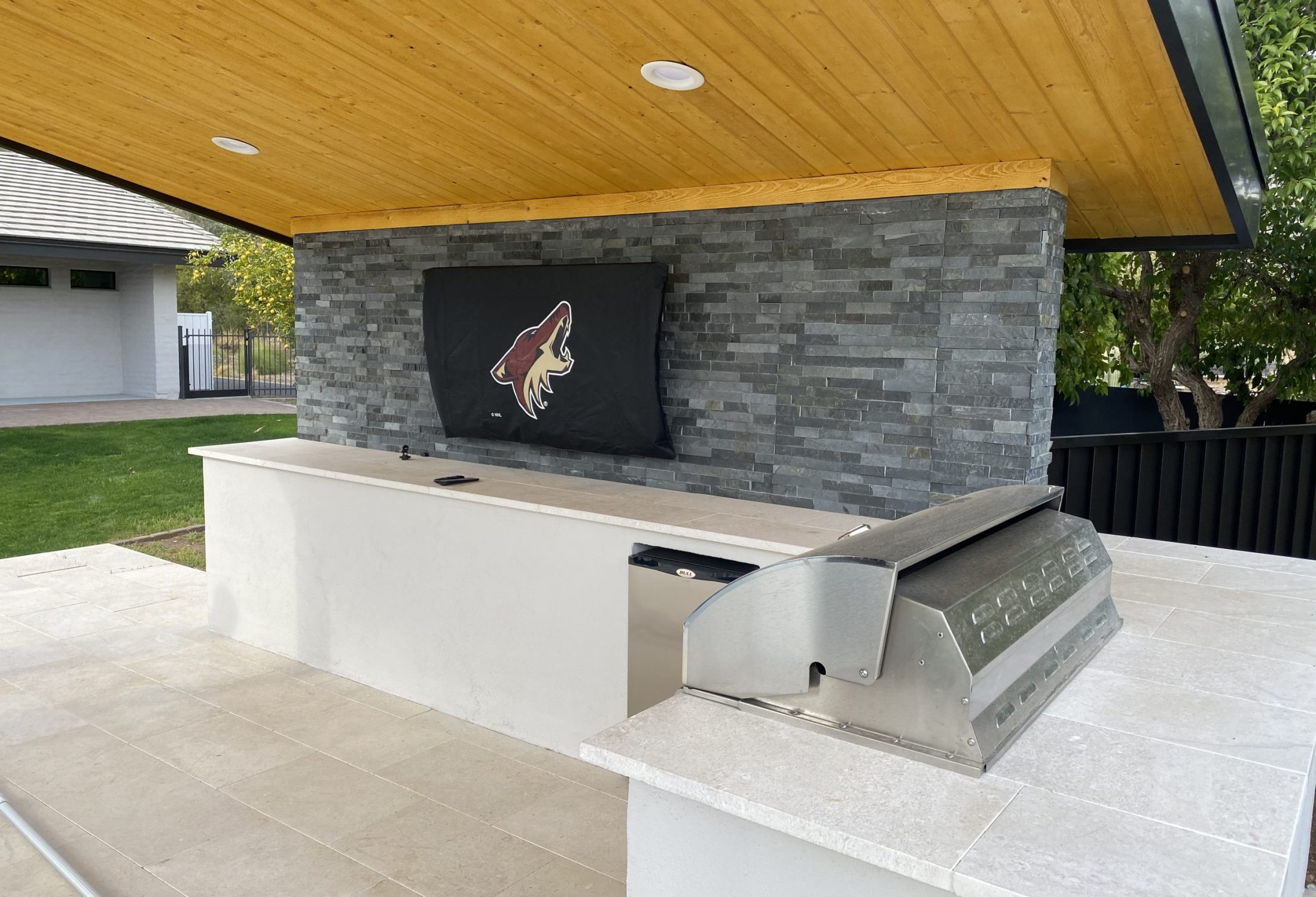
A fitted cover can reduce dust, UV, and moisture exposure while a compatible outdoor TV is not in use. It cannot cool an operating panel, protect connectors while the screen is uncovered, stop low-angle sun, create an exterior equipment rating, or change an indoor television’s instructions. Follow the display manufacturer’s cleaning and cover guidance; do not trap moisture or cover a hot display before the manual permits it.
Outdoor TV ratings and temperature limits: read the footnotes
“Weatherproof outdoor TV” and “waterproof outdoor TV” are common searches, but they are imprecise shopping terms. The defensible question is: Which tested conditions and installation rules does this exact model support?
An IP rating uses one digit for protection against access and solid foreign objects and another for water ingress. It does not by itself rate solar radiation, high temperature, corrosion, condensation, impact, pool chemicals, cleaning chemicals, ice, or every installed cable entry. The National Electrical Manufacturers Association also cautions that an IP degree is not equivalent to a NEMA enclosure Type because NEMA classifications consider additional characteristics.
Temperature specifications need the same care. A sheet may list operating, storage, ideal, maximum, or surface-temperature limits. Some values refer to the television’s internal or surface temperature rather than outdoor air. Direct sun and a recessed cavity can change the thermal condition dramatically.
| Current manufacturer example | Documented placement and specification | What the example proves |
|---|---|---|
| SunBrite Veranda 4 | Full-shade category; 600-nit sustained full-screen brightness, IP55, and a published 32–122°F operating range | A shade-oriented outdoor model still has defined brightness, ingress, and temperature limits. |
| SunBrite Solis | Full-sun category; 1,500-nit sustained full-screen brightness and IP55 on the current product page | A manufacturer may create a separate model family for substantially brighter exposure. |
| Séura Shade Series 2 | Covered structure without direct sun; Séura says operating temperature refers to TV temperature and that the series can maintain full brightness up to 140°F | The number cannot be treated as a universal ambient-air threshold or permission for sunlit placement. |
| Samsung Terrace families | Samsung publishes different Partial Sun and Full Sun model families, and rating details vary by model year | Brand and family name are not enough; record the full model and read its current installation guide. |
Specifications checked August 26, 2026. They are examples, not a product ranking or approval for a particular patio. Compare the same type of measurement—such as sustained full-screen brightness with sustained full-screen brightness—and recheck the current manual before purchase. Availability, firmware, specifications, and warranties can change.
Samsung’s partial-shade Terrace guidance illustrates the thermal problem: it advises keeping that model out of direct sun, lists heat resistance to 122°F, and explains that a temporary dark area can appear if the screen surface exceeds 158°F. Séura likewise warns that a display’s temperature can be far above the day’s air temperature. Neither statement supports a universal Arizona cutoff. They support measuring the location and obeying the selected model’s sun and ventilation rules.
Outdoor TV brightness, glare, and daytime visibility
Brightness is measured in nits, or candelas per square meter. More output can help a picture compete with a bright patio, but no single nit number guarantees a good image. Peak brightness may describe a small highlight for a limited time; sustained full-screen brightness is a different measurement. Picture mode, temperature protection, reflection control, viewing angle, screen size, and surrounding light all affect what viewers see.
Glare often comes from behind the audience rather than from light striking the screen head-on. A pale pool deck, bright sky, white wall, open lawn, or sunset can reflect toward the viewer. A brighter panel may raise image luminance, but it cannot restore black level where the screen is mirroring the sky.
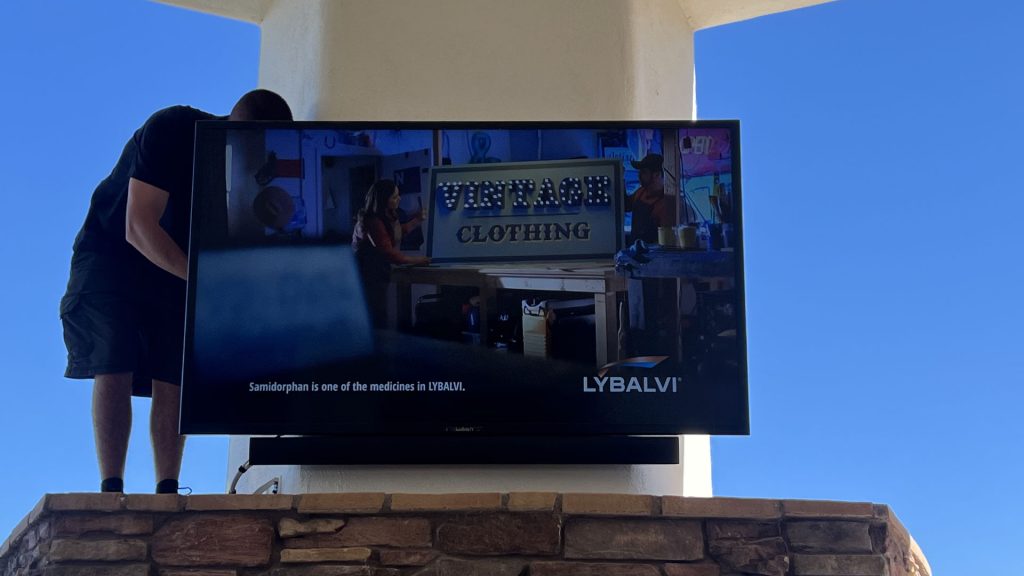
Improve the site before buying extra brightness
- Rotate the screen. A modest change in angle can move a bright reflection away from the primary seats.
- Deepen or reshape shade. A roof extension, side shade, or architecture-integrated screen can reduce glare and solar heating together when engineered for the opening and wind.
- Control the background. Darker, non-glossy surfaces behind viewers can be easier on the screen than pale reflective finishes.
- Evaluate the real viewing time. A patio used for evening sports has different needs than one used at noon.
- Test from every regular seat. Pool loungers, bar stools, a dining table, and a sectional may see different reflections and viewing angles.
A sun-bright TV can be the correct choice for demanding daylight, but “brighter” should not become permission to ignore direct-sun approval or thermal limits.
Full-shade vs. partial-sun vs. full-sun outdoor TV placement
These labels are useful planning shorthand, not universal standards. One company’s “partial sun” conditions may differ from another’s, and a model family can change from year to year. Classify the site first, then find products whose current documents explicitly support it.
| Observed patio condition | Likely category to investigate | Site-design moves | Red flags |
|---|---|---|---|
| Deep, reliable shade | Outdoor display documented for full-shade or protected locations | Confirm low-angle sun, wind-driven rain, reflected glare, heat at the wall, and airflow | Calling an open-sided roof “indoors”; placing the TV over a heat source; blocking ventilation |
| Bright ambient light but no direct sun | Shade or partial-sun outdoor model, depending on exact documentation and glare | Observe reflections, add side shade, compare sustained brightness, and orient seats/screen | Using only compass direction; assuming anti-glare eliminates every reflection |
| Short periods of direct sun | Model explicitly approved for the measured exposure, or redesign that creates dependable shade | Map sun on both screen and rear cabinet by hour and season; reduce solar load architecturally | Believing “only one hour” is harmless; reading a maximum temperature without its sunlight footnote |
| Open, high-exposure pool or landscape wall | Full-sun/high-exposure outdoor display whose model documentation fits the site | Coordinate drainage, splash, wind, structure, brightness, heat, service, audio, power, and network | Calling the system waterproof; leaving ports, power, player, or soundbar less protected than the TV |
| Indoor TV inside an enclosure | Only an enclosure/display combination designed for the measured conditions and permitted by both manufacturers | Calculate solar and device heat, manage condensation and ventilation, preserve seals, and test service access | Sealed box with no thermal plan; clear panel that adds reflections; unverified warranty |
Observe the proposed wall in the morning, at the harshest afternoon hour, and during the season when the sun is lowest. Photograph the screen plane and the view behind the seating. Check the rear cabinet too: the front may be shaded while sun reaches the back through an open side.
Arizona patio scenario: a covered west-facing outdoor TV
Consider a hypothetical Scottsdale patio with a 12-foot primary viewing distance, a deep roof, an open west side, light-colored pool decking, a masonry fireplace wall, and several hours of late-afternoon use. The screen itself receives direct sun for roughly 75 minutes in summer; the rear cabinet stays shaded. Monsoon outflow can push dust and rain through the open side.
An indoor TV is not the responsible baseline. A shade-rated outdoor model also cannot be approved merely because the roof looks substantial. The planning team should compare two paths:
- Create reliable shade. Reorient the screen, deepen side protection, or add an architecture-appropriate shade solution designed for the opening and wind. Then reassess glare, heat, and manufacturer placement rules.
- Specify for the measured direct sun. Select only a model whose current manual explicitly permits that sun exposure, mounting orientation, ambient and surface conditions, clearances, and weather exposure.
The light-colored deck behind viewers may remain the dominant glare source even after direct sun is resolved. A site mockup should compare seating angles and screen position during the actual game-time window. The masonry wall needs a temperature check, and a fireplace requires the display and mount to stay within both manufacturers’ heat and clearance instructions.
The final design then adds an outdoor-rated, model-compatible mount; protected power installed to local requirements; sealed signal paths; network coverage at the display; exterior-suitable audio; and a service route that does not require dismantling the fireplace finish. That is an outdoor AV system, not just a television on a wall.
This scenario is illustrative, not a representation of a specific client project. For examples of Camelback Smart Homes’ finished work, visit the project gallery.
Mounting, power, ventilation, and sealed connections
An exterior installation is only as durable as its weakest interface. A rated display can still be compromised by an unsuitable mount, a cable bay left open, a player that exceeds its own temperature range, a receptacle exposed to water, or a cabinet that traps heat.
Mount and structure
Use a mount documented for outdoor use and compatible with the exact display’s weight, attachment pattern, and orientation. Corrosion-resistant materials matter, but so do the wall assembly and fasteners. Stucco over foam, hollow masonry, wood framing, structural steel, and fireplace surrounds require different attachment details. An articulating arm increases leverage and presents a larger surface to wind; do not invent a wind rating if the mount manufacturer does not publish one.
The National Weather Service’s Arizona monsoon guidance identifies damaging wind, dust, heavy rain, lightning, and outages as regional hazards. The mount, screen, cabling, and service position should be evaluated as one assembly before monsoon season, not after it begins moving.
Ventilation and thermal clearance
Never assume a recessed niche looks cleaner and is therefore better. Some manuals explicitly prohibit recessing, and several current outdoor-display manuals call for clearance around the cabinet. Those dimensions are model-specific. Preserve the exact top, side, rear, and bottom clearances; keep intake and exhaust paths open; and account for heat from fireplaces, grills, sunlit masonry, and adjacent equipment.
A weatherproof enclosure may use vents, fans, filters, heat exchangers, heaters, or active cooling. Every opening and field modification affects its performance. Measure internal temperature during demanding conditions and maintain filters, gaskets, drains, and fans according to the enclosure manufacturer.
Power, grounding, and surge strategy
Outdoor power should be planned by qualified professionals for the exact wet, damp, or exterior location and the code adopted by the local authority. Phoenix and Scottsdale currently reference different National Electrical Code editions, so there is no responsible one-line “Arizona code” answer. Outdoor-display manuals commonly call for a grounded, GFCI-protected receptacle, while the U.S. Consumer Product Safety Commission recommends GFCI protection and suitable weather protection for connected outdoor outlets.
GFCI and surge protection solve different problems. A GFCI is intended to reduce ground-fault shock risk; it is not a lightning shield. Consider coordinated, listed surge protection for power and signal paths, while recognizing that no ordinary plug-in device guarantees protection from a direct lightning strike. Do not unplug exterior equipment during a thunderstorm; follow National Weather Service safety guidance and make shutdown or disconnection decisions before the storm arrives.
Cables, ports, and service
- Use cable, conduit or pathway, connectors, fittings, and entry methods appropriate to the actual location.
- Keep the display’s media-compartment gasket, cover, foam, or glands assembled exactly as its manual requires.
- Create drainage and drip paths that keep water away from openings rather than directing it toward them.
- Confirm the signal format and distance end to end; a long HDMI run may require an approved extender or a different transport design.
- Leave enough access to inspect seals, clean approved surfaces, replace a player, and service the display without damaging architectural finishes.
- Verify that any streaming stick, receiver, balun, control device, or power supply shares an appropriate temperature and exposure plan.
This is planning guidance, not a do-it-yourself line-voltage procedure. Structural attachment, electrical work, and code compliance belong with qualified professionals.
Network, streaming sources, outdoor audio, and control
A television can be properly weather-rated and still deliver a frustrating experience if the stream buffers, the remote cannot reach a hidden source, or dialogue disappears into pool and street noise. Plan connectivity and sound at the same time as the screen.
Network and sources
Built-in apps reduce the number of exposed devices, but they do not eliminate network requirements. Confirm outdoor Wi-Fi coverage at the exact display location under load, not just a phone’s signal bars. Masonry, metal appliances, low-emissivity glass, distant access points, and crowded 2.4 GHz bands can change performance. Where the TV supports it and cabling is practical, a wired network link can provide a stable path; either approach should be part of a measured home-networking design.
If sources remain in an indoor equipment rack, confirm resolution, HDR, copy protection, audio format, control, and distance across the complete video-transport system. If a player sits behind the display or inside its protected media bay, verify that player’s temperature limit, ventilation, Wi-Fi reception, power, and service access. The television’s rating does not automatically extend to everything connected to it.
Outdoor audio
Some outdoor TVs include speakers; others do not. Even when speakers are built in, an open patio may need a separate audio design for clear dialogue and even coverage. Turning one soundbar louder is often less effective—and less neighbor-friendly—than distributing suitable speakers closer to listeners at controlled levels.
A coordinated distributed-audio system can let the patio TV share appropriate speakers with music zones while preserving simple source selection and volume control. Confirm lip sync, weather suitability, amplifier capacity, zone behavior, nighttime limits, and how the system returns to music after television use.
Control and daily use
Document how viewers will turn on the display, choose a source, control volume, and recover when an app signs out. Outdoor-rated remotes, protected keypads, phone apps, and whole-home interfaces each have benefits and failure modes. Verify model-specific IP, IR, serial, Ethernet, Wi-Fi, and automation-driver support rather than assuming a brand logo guarantees every function.
Camelback Smart Homes’ distributed-video design service coordinates displays, sources, control, infrastructure, and support so the outdoor zone behaves like part of the home instead of an isolated collection of apps.
Arizona outdoor TV buying checklist
Use this checklist before approving a display, enclosure, or installation proposal:
- Record the viewing conditions. Note primary seats, farthest regular seats, viewing hours, reflections, and whether use is mostly daytime or evening.
- Map direct sun by time and season. Check the screen and rear cabinet; photograph the location during the harshest likely hours.
- Classify all environmental exposure. Include ambient heat, radiant surfaces, dust, insects, humidity, wind-driven rain, pool splash, irrigation, chemicals, and cleaning methods.
- Choose a documented placement category. Compare full-shade, partial-sun, or full-sun models only after the site is classified.
- Read the exact current manual. Verify operating and storage ranges, sun limitations, orientation, clearances, IP rating, ports, covers, maintenance, and warranty.
- Compare picture specifications fairly. Distinguish sustained full-screen from peak brightness and evaluate anti-reflection treatment, contrast, viewing angle, and nighttime control.
- Mock up size and height. Use the outdoor TV size and exposure selector, then test the outline from dining, lounge, bar, and pool positions.
- Engineer the mount and substrate. Confirm outdoor suitability, weight, pattern, corrosion resistance, articulation, leverage, structure, heat, and service position.
- Plan outdoor power professionally. Coordinate grounding, GFCI, weather protection, disconnect/service needs, municipal code, and a realistic surge strategy.
- Protect every connection. Specify media-compartment seals, cable entries, pathways, drainage, signal distance, players, extenders, and power supplies.
- Test network performance. Validate wired or Wi-Fi connectivity at the TV while the patio and household network are in normal use.
- Design sound for the seating area. Confirm whether the model has speakers, then plan dialogue clarity, coverage, lip sync, volume limits, and control.
- Preserve maintenance and replacement access. Make it possible to clean, cover, inspect, update, reset, and replace equipment without dismantling finished architecture.
- Commission the finished system. Test daytime and evening picture, every source, audio, control, network, shutdown, weather covers, and homeowner handoff.
A proposal that lists only a TV model and screen size is incomplete. Ask which measured site conditions drove the selection, where each manufacturer requirement is documented, and how the installer will verify the finished system.
Frequently asked questions about outdoor TVs in Arizona
Can I use an indoor TV under a covered patio in Arizona?
A roof reduces exposure but does not create indoor conditions. Heat, dust, insects, humidity, condensation, low-angle sun, wind-driven rain, and exposed connections remain. Use an indoor TV outside only if its exact manufacturer documentation permits the complete location; otherwise choose a suitable outdoor display or a properly engineered enclosure strategy.
What IP rating does an outdoor TV need in Arizona?
There is no universal IP rating for every Arizona patio. The required protection depends on dust, rain direction, splash, irrigation, cleaning, orientation, ports, and the rest of the installed system. An IP rating addresses defined solids-and-water ingress tests; it does not by itself rate heat, sunlight, corrosion, or condensation.
How many nits should an outdoor TV have?
There is no reliable one-number minimum. A deeply shaded patio may need far less output than a bright or sunlit location. Compare like-for-like brightness measurements, then evaluate anti-reflection treatment, orientation, shade, screen size, viewing time, thermal behavior, and the exact model’s approved exposure.
Is a weather-resistant outdoor TV waterproof?
No blanket “waterproof” claim is safe. Outdoor TVs are tested for specific conditions and installation rules, and many are not rated for submersion or every direction and pressure of water. Connectors, receptacles, players, soundbars, mounts, and cable entries also need their own suitable protection.
Can an outdoor TV enclosure make an indoor TV safe outside?
A purpose-built enclosure can be a valid design path, but it does not automatically make every indoor TV suitable outdoors. The enclosure must manage solar gain, equipment heat, ventilation, condensation, seals, front-panel glare, drainage, service, and the indoor TV’s own operating and warranty requirements.
Does an outdoor TV need external speakers?
Not always. Some outdoor TVs include speakers and some do not. Open-air distance and background noise may still make external outdoor audio worthwhile. Distributed speakers closer to listeners can improve dialogue and even coverage without forcing one speaker to play excessively loud.
Does an outdoor TV need Wi-Fi?
Only if its apps, control, updates, or sources use Wi-Fi. A wired network connection may be preferable when the television supports it and cabling is practical. In either case, verify performance at the exact patio location and include any streaming device or video extender in the network and temperature plan.
Choose the patio system—not just the television
The outdoor TV that survives Arizona is the one whose documented limits fit the measured patio and whose complete installation respects them. Shade, orientation, thermal clearance, weather protection, structure, power, network, sources, audio, control, and service access all influence the result.
Camelback Smart Homes plans integrated outdoor entertainment for Phoenix, Scottsdale, Paradise Valley, and nearby Arizona communities. Request an outdoor entertainment site assessment to evaluate sun, heat, glare, weather exposure, viewing distance, infrastructure, and the experience you want before selecting equipment.
Authoritative sources
- NOAA/NCEI Phoenix Sky Harbor 1991–2020 climate normals
- National Weather Service Phoenix monsoon safety
- Samsung Terrace sunlight, IP, and heat guidance
- SunBrite current outdoor TV model comparison
- Séura Shade Series 2 placement and temperature guidance
- NEMA enclosure ratings FAQ
- U.S. Consumer Product Safety Commission home electrical safety checklist